List of various digital tools I enjoy.
Web
Basic webtools / productivity
- DownSub - Download subtitles from Youtube, Viki, etc.
- PrintFriendly - Web page to clean PDF
- WorldTimeBuddy - Time Converter and World Clock
- Lucide - free, beautiful & consistent icons
- Text Edit Online
- (regex) text replacer
- remove duplicate/empty lines
- case converter
- remove extra spaces/line breaks
- number lines
- word frequency counter
- many, many more
- Nova Reader (RSVP speed reader)
- I couldn’t find one that I liked, so Claude made me one; first as a browser plugin, now also a PWA
- (which you can install through Chrome browser on android, then it will appear in the Share screen, when you share a website from whatever browser)
- regex builder
- Of all the ones I’ve tried, I liked Olaf Neumann’s the best
- ofc now you can just describe it to Claude, although this site also lets you test the generated output (and presumably gives the LLM behind it a good prompt)
- QR code generator
- have tried many different ones, qrgenerator.org is the best I’ve found
- size and precision selection
- auto-updates the QR code (some require you to click “generate” after each change)
- many design options
- free, no sign-up required
- worse UI but also has good options: genqrcode.com
- have tried many different ones, qrgenerator.org is the best I’ve found
Thinking Tools
- ClearerThinking.org | Scientific Personality Test & Online Tools
- List of Cognitive Biases and Heuristics - The Decision Lab
- Seeing Theory - Basic Probability
- Tools for better thinking | Untools
- Steps to solving problems
Emotional Tools
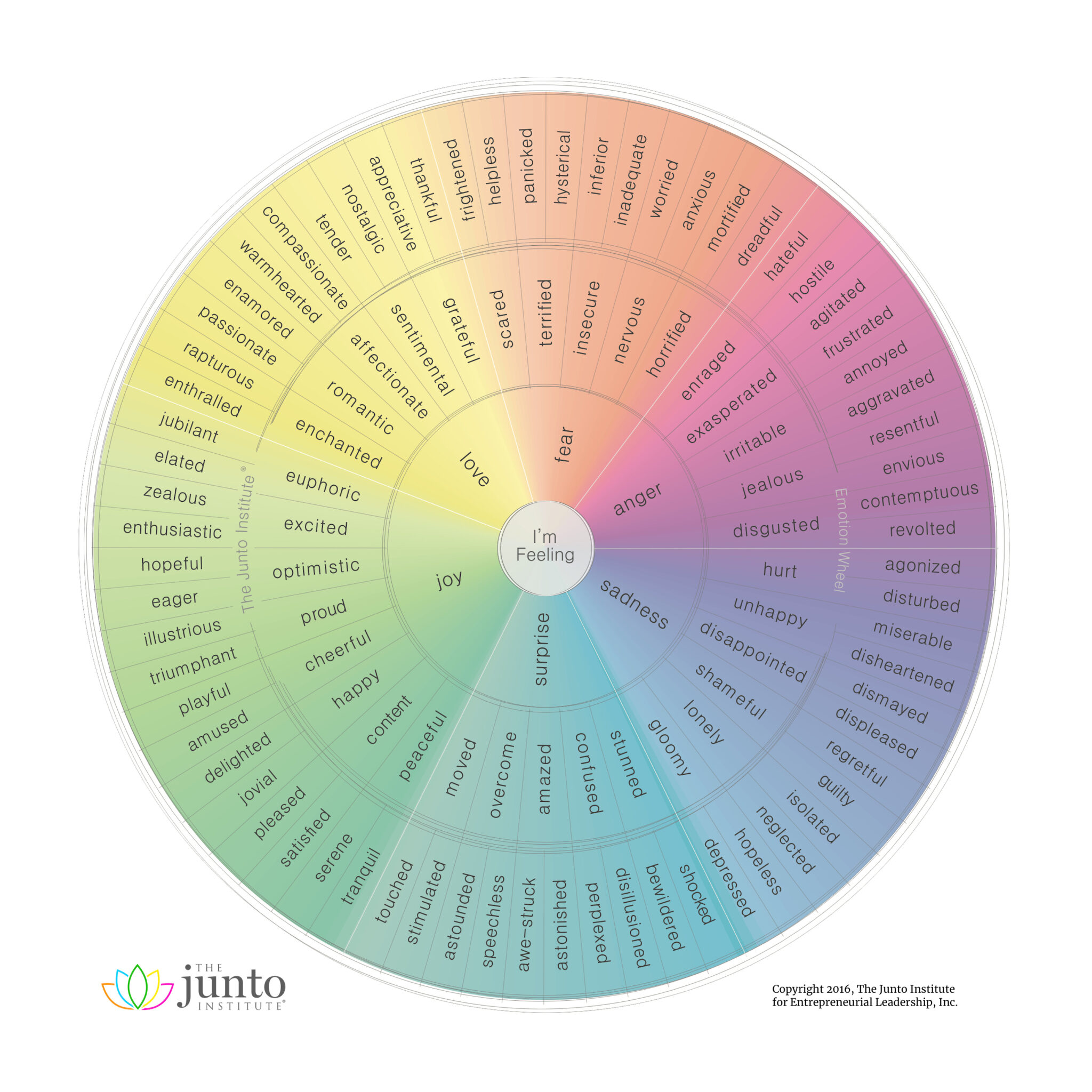
Various emotion wheels
- Junto Emotion Wheel
- Robert Plutchik’s Wheel of Emotions
- Plutchik Dyads
- Emotion Sensation Feeling Wheel by Lindsay Braman
- Geneva Emotion Wheel
- Plutchik wheel


Software
- AutoHotKey text expander
- relatively easy to use w basic coding familiarity, otherwise maybe just a bit intimidating
- but now just use Claude
- personal use cases:
#[name]puts out phone numbers I occasionally need (e.g. for filling out forms)@[email shortcode]outputs my various email addresses#ibanmy IBAN#streetoutputs my full street address + zip codectrl+shift+esccreates a small browser window to quickly look smth up and to have disappear onctrl+w- various special characters, e.g.
~nproduce ñ,->produce →,...produces …,--produces –,#checkproduces ✔ - etc.
- Microsoft PowerToys
- adds so much additional utility
- I most frequently use:
alt+spacefor a spotlight-like searchctrl+shift+spaceto pin a window to the top (very helpful for referencing things)ctrl+shift+tfor an OCR text extractorwin+shift+cfor a color picker (hex, rgb, hsl)- file bulk rename
- screen on for a specified amount of time (or indefinite)
- many, many more features (incl. also key remapping and text expansion AFAIK)
- Affinity Suite
- professional photo editing and designing software suite
- used to be a one-time payment alternative to adobe
- now acquired by canva and free
- PotPlayer
- very good media player
- let’s me configure the speed controls to
sanddlike with the VideoSpeedController browser plugin - loads and seeks quickly
- Obsidian
- OBS Studio
- very lightweight screen recorder (and streaming software)
- creates surprisingly small file sizes
- Pucoti
Browser Plugins
- CookieAutoDelete
- I still don’t care about cookies
- auto rejects cookies where possible, accepts minimal or all cookies where necessary
- rarely creates issues where you cannot scroll on the page; just click on the icon and disable for that site and reload
- DarkReader
- always, time-based or system-setting-based dark/light mode
- Snoozz
- lets you snooze tabs so they reopen later
- can be done to selection of tabs or whole windows
- can be set to recurring, e.g. when you have to check a Drs page each morning, etc.
- Tab Renamer
- only very occasionally but then very useful
- e.g. if all sites of a domain all have the same name
- Unhook
- lets you choose what youtube elements (comments, search bar, recommended videos, home, shorts, etc.) to hide or to disable autoplay or auto-continue on playlists
- Google Docs Offline
- uBlock origin, bitwarden, fingerprint defenders, etc.